
 Get started
 How to increase average order value on Shopify: 8 offers and how to pick one
Getting a shopper to add one more item is usually cheaper than finding a new shopper. Here are eight ways Shopify stores raise their average order value, which kind of store each one suits, and how to check that the higher basket really means more money for you.
Average order value (AOV) is your total sales divided by the number of orders. You’ll find it in Shopify under Analytics, on the dashboard card “Average order value over time”. Note your number for the last 30 to 90 days before you change anything: it’s the baseline every idea below is measured against.
Every method works the same way underneath: it gives the shopper a clear reason to add something at the moment they’re already buying. They differ in where that moment is and what the reason is.
1. A free shipping goal
Set free delivery a little above your current average order, then show each shopper how far they are from it. It works for almost every store, because everyone understands it. Start with how to choose the threshold, then make it visible with a free shipping progress bar.
2. Quantity discounts
“Buy 2, save 10%” suits products people use up or buy for several people: cosmetics, socks, coffee, supplements. See quantity discounts on the product page, or tiered pricing by collection when the discount should cover a whole range of products.
3. Bundles
Bundles sell several products together at a better price. Let shoppers mix and match from a collection, build their own box on a dedicated page, or sell a fixed set. They suit stores with products that belong together, such as a skincare routine or a gift set.
4. Add-ons on the product page
A product that needs something else, such as a camera and its memory card, or a plant and its pot, sells the add-on best right next to the buy button. See frequently bought together.
5. Upsells in the cart
The cart is where shoppers review their order and are closest to paying. A cart drawer with add-ons suggests a small extra without sending them to another page, and can show the free shipping goal in the same place.
6. An offer right after Add to cart
A short popup after add to cart suggests one related product at the moment the shopper has just decided. Keep it to a single, relevant offer; a popup on every click annoys more than it sells.
7. A free gift above an order value
“Free gift over €80” works like a free shipping goal but with something to unwrap. It suits stores whose delivery is already free or cheap. See free gift with purchase.
8. Buy one, get one
BOGO deals move stock fast and suit lower-priced or seasonal products. The free item costs you its full product cost, so check the margin first. See how to set up BOGO offers.
How to pick, and how to know it worked
- Start with one or two methods, the ones that fit your products best. A free shipping goal plus one product-page offer is a good pair. Five offers on one page compete with each other and with your buy button.
- Run them for two to four weeks without changing anything else, so the numbers mean something.
- Watch three numbers, not one: average order value, conversion rate and total sales. A higher AOV with fewer orders can mean you made buying harder.
- Count the cost. Discounts, free gifts and free delivery come out of your margin. Compare profit, not only revenue.
- Keep what earns more and drop what doesn’t. Then try the next idea.
Doing it with Seny
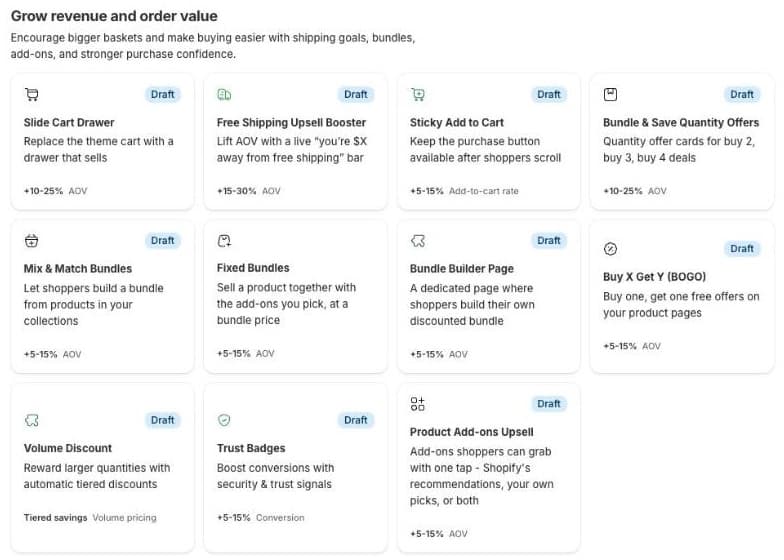
Every method on this list is a ready-made Seny app: free shipping goals, quantity offers, three kinds of bundles, product add-ons, a cart drawer, an add-to-cart popup, a free gift step and BOGO. The ones that give a discount create the matching Shopify discount when you publish them, and Seny coordinates its own discounts so two offers don’t cancel each other out. The Analytics page in Seny shows the orders and revenue each app took part in, next to the numbers from Shopify.
Free Shipping Upsell BoosterThe free shipping goal from method 1, with a live progress bar and the discount applied at checkout.Explore app