
 Get started
 GPSR on Shopify: how to show manufacturer details and safety warnings on product pages
Since 13 December 2024, every online offer to EU consumers must show who made the product, how to contact them, and its safety warnings. Here’s what to show and how to add it to every Shopify product page with metafields, without an app.
The EU General Product Safety Regulation (Regulation (EU) 2023/988, usually called GPSR) has applied since 13 December 2024. One of its rules is aimed squarely at online stores: Article 19 lists what every online offer to EU consumers must show, on the product page itself, before the shopper orders.
Many Shopify stores still don’t show it, mostly because Shopify has no ready-made field for it. It takes an afternoon to set up properly.
What every product page must show
- The manufacturer: name, registered trade name or trademark, and a postal and an electronic address (an email or a website contact form).
- A responsible person in the EU, if the manufacturer is outside the EU: their name, postal address and electronic address.
- What the product is: a picture, the product type and any other identifier, such as a model or batch number.
- Warnings and safety information, in a language your shoppers can easily understand.
The information has to be clearly visible on the offer. A link to terms and conditions, or a PDF buried somewhere, isn’t enough.
Who counts as the manufacturer?
- You make the product yourself: you are the manufacturer. Show your company’s details.
- You sell other brands: show the brand owner’s details, which they should give you.
- You sell your own brand made by a supplier: if the product is sold under your name or trademark, you usually count as the manufacturer.
- The manufacturer is outside the EU, for example you import from Asia or the US: you also need an EU responsible person, often the importer.
Step 1: Create the fields in Shopify
Shopify has no built-in manufacturer field, so you create your own with metafields. They are free and built into Shopify.
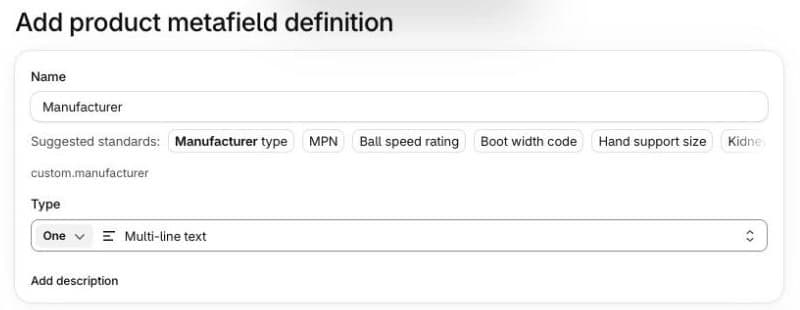
- Go to Settings → Metafields and metaobjects → Products and click Add definition.
- Name it Manufacturer and choose the type Multi-line text. Save.
- Add a second definition called Safety information, also Multi-line text.
- If you need it, add a third one for the EU responsible person.
Step 2: Fill them in for each product
Open a product. The new fields appear under Product metafields near the bottom of the page. Enter the manufacturer’s name, address and email, and the product’s warnings.
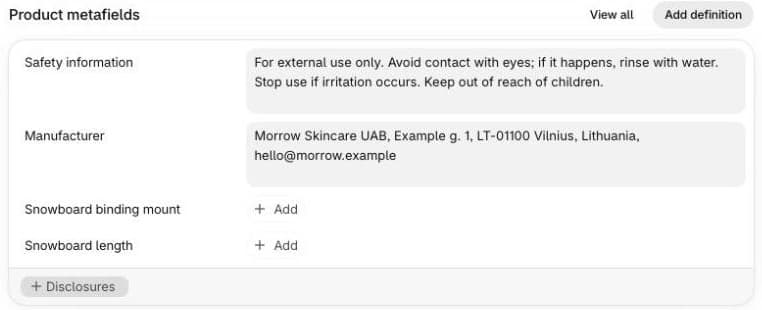
For many products at once, select them in Products, click Bulk edit and add the metafield columns, so you can fill in a whole table at once. Most stores have only a few manufacturers, so this goes quickly.
Step 3: Show them on the product page
Now connect the fields to your theme. Most modern themes, including Shopify’s Horizon and Dawn, support this without code:
- Go to Online Store → Themes → Customize and open a product page.
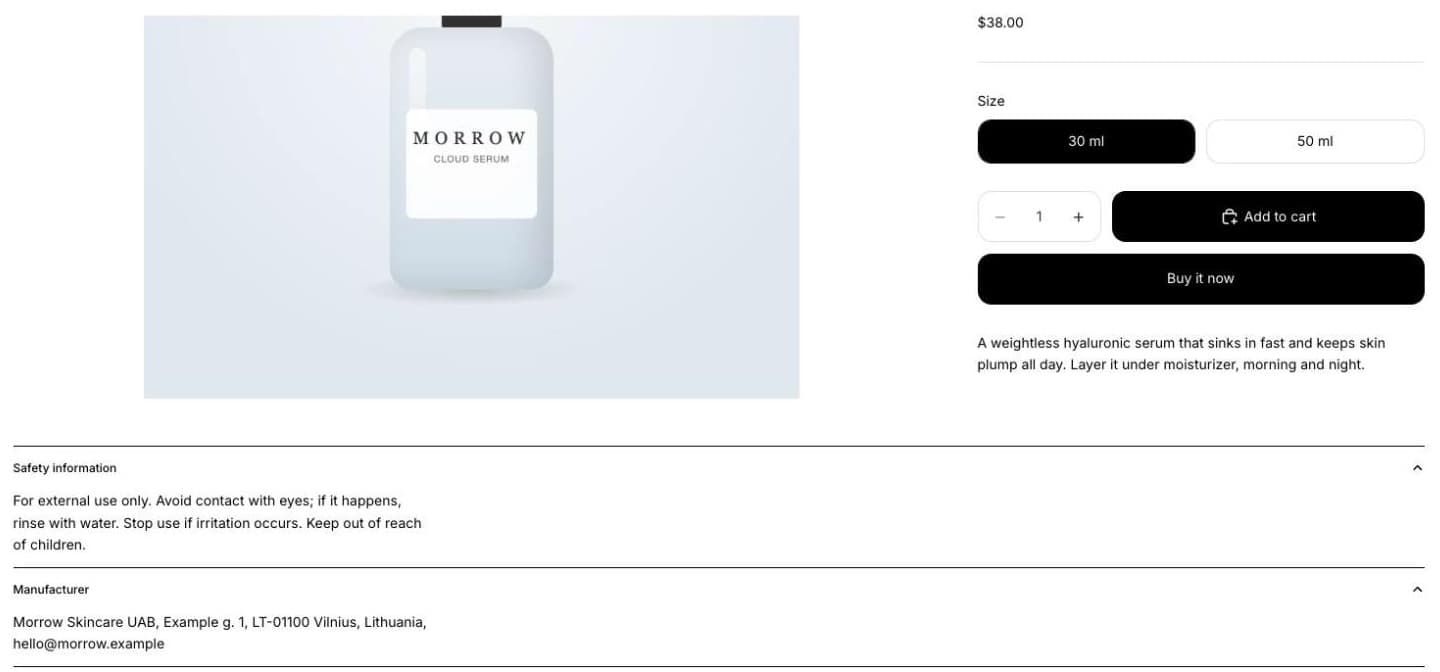
- In the product section, add a block. An Accordion (collapsible rows) keeps the page tidy; a plain Text block works too.
- Name the rows “Manufacturer” and “Safety information”.
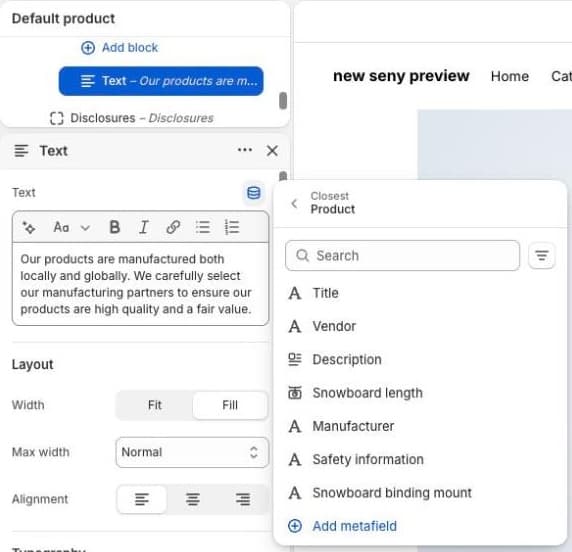
- In each row’s text, click the dynamic source icon and pick your metafield.
- Save. Every product now shows its own values.
Selling from Lithuania
In Lithuania the regulation is known as BGSR (Bendrasis gaminių saugos reglamentas) and applies directly, alongside the national Product Safety Law. Write the warnings in Lithuanian for Lithuanian shoppers, and in the shoppers’ languages for every other market you sell to. If your store has several languages, translate the metafields too, for example in Shopify’s Translate & Adapt app.
Common mistakes
- Leaving fields empty on some products. The theme still shows the row headings, with nothing under them. We saw this on Horizon: fill in every product before you add the block.
- Only a link to the terms. The details must be on the offer itself.
- Only the brand name. You need a postal and an electronic address too.
- No EU responsible person for imported products.
- Warnings only on the packaging. The shopper has to see them before ordering.
- English-only warnings. Use the language of the market you sell to.
- Forgetting marketplaces and feeds. Marketplaces ask for the same details, and they are easier to send when they’re already in your Shopify metafields.